I’ve been obsessed with my Apple Watch for over half a decade and I even wrote the iPhone Life Apple Watch guide for Insiders. Despite all this, I still occasionally stumble upon a feature that blows my mind and changes the way I use my watch. My favorite hidden gems are pinging my iPhone to find it, enjoying discreet vibrate-only alarms, and controlling my phone’s Camera app from my wrist!
1. How to Ping Your iPhone with Your Watch (and Vice Versa)
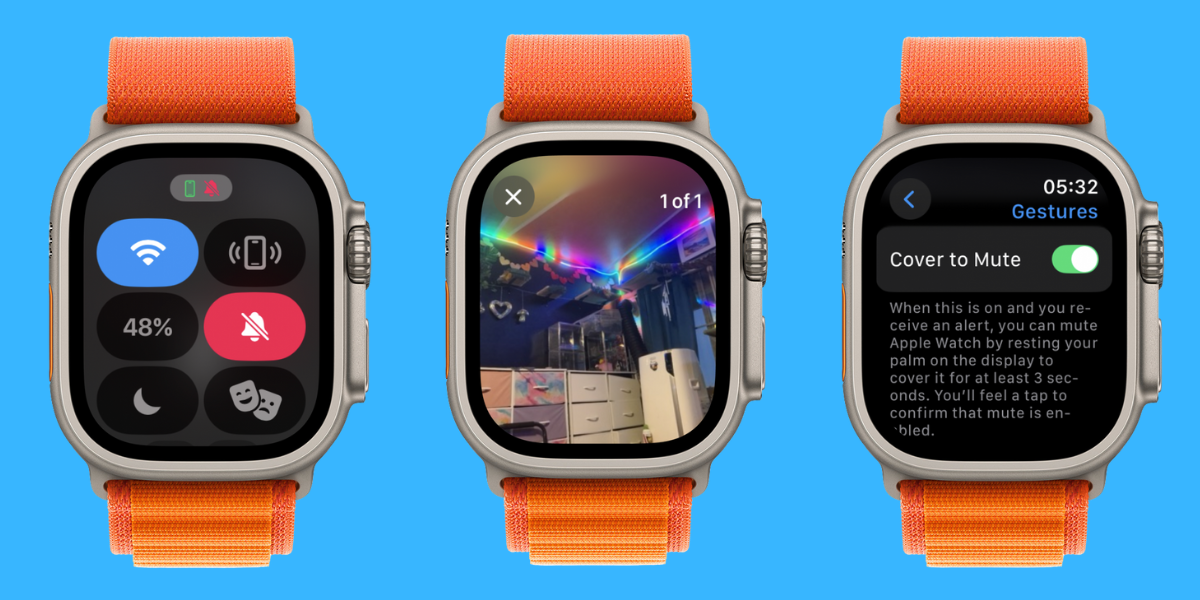
It is way too easy to misplace your iPhone, but you can quickly ping it from your Apple Watch to find it faster. Touch the Side button and tap the iPhone pinging icon to make a sound on your phone, even if it is silenced. If your phone is nearby, you will also see the precision Find My directions to your phone. More recently, Apple introduced a feature that lets you ping your Apple Watch from your iPhone—you can even add the icon to your iPhone’s Control Center!
2. Set Discreet Vibrate-Only Alarms
When you set up an alarm, you can go into the settings and change it to be haptic rather than sound. The benefit of haptic alarms is that they are soundless and will vibrate gently on your wrist—this is a much better way to wake up and lets you set reminders for yourself without disturbing anyone around you.
3. Control Your iPhone’s Camera from Your Watch
Say goodbye to balancing your iPhone on a table (or branch) then running toward your friends and hoping you make it before the countdown. You can take much better group photos by using your Apple Watch as an iPhone camera remote. You can still use a three-second timer so that you can tap the shutter button on your wrist, then lower your arm and do a pose. You can then view the photo on your wrist to check if it turned out well or if you need a re-do. I use this feature often for both group photos and selfies when I’m somewhere by myself and can’t find a stranger to snap my pic.
4. Silence Your Watch with Your Palm
It can be so embarrassing when your watch receives a phone call while you’re in a meeting or at an inappropriate moment. It can take a while to silence it the traditional way, especially when you are flustered. Fortunately, there is a setting that lets you mute your watch by covering the screen with your palm—a natural gesture that doesn’t require you to look at your watch at all!
Not Using a VPN? You’re More at Risk Than You Know
Have you ever used Wi-Fi outside of your home? Any time you are connected to the internet, your information is at risk of being tracked or hacked. A VPN helps keep your surfing anonymous to keep your data out of malicious hands. Sign up for NordVPN and boost your online security for only a few dollars a month!
5. Add Steps to Your Apple Watch Face
Unlike a Fitbit, the Apple Watch doesn’t have a built-in feature to display your steps on your watch face. However, the free third-party Pedometer++ app offers complications that display your steps and you can customize them to suit your needs. That way you can track your steps directly from your watch face!
6. Emergency Flashlight with Three Modes
Did you know that your Apple Watch has a flashlight? It isn’t perfect and won’t replace the real thing, or even your phone flashlight. However, it is a great option in a pinch. There is a white option, red option (that won’t attract animals if you are using it while lost outside), and a white flashing option.
What is your favorite hidden Apple Watch feature? Email OntheWatch@iphonelife.com and let me know!