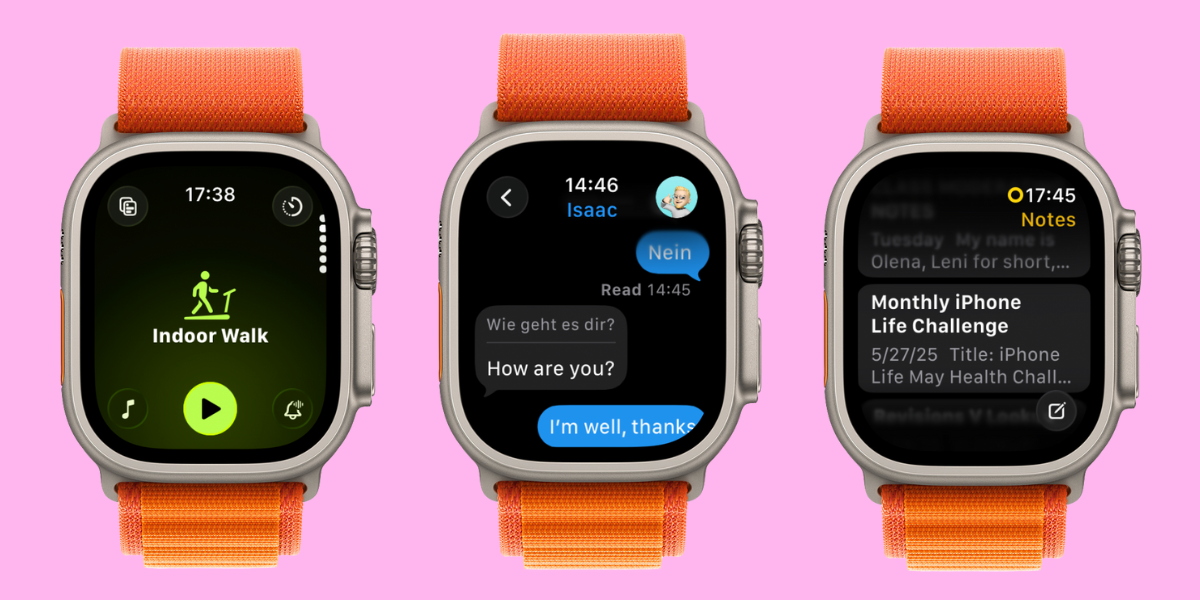
Mere hours after watchOS 26 was announced on June 9, I downloaded the Developer Beta on my watch — a questionable decision because beta software can be glitchy — because I just couldn’t wait to try the new features and tell you what I love and hate about them.
1. Workout Buddy
Perhaps the most exciting-sounding feature was Workout Buddy, a virtual fitness coach that uses all your Health data to cheer you on while you work out. The set up was easy and could be done quickly and directly on my wrist, allowing me to pick between a female and male sounding voice to encourage me on my workouts. Of course, this feature is optional and if you don’t toggle it on, you won’t get any unwanted advice.
After walking on my treadmill for half an hour, I realized that the feature only worked if you wore headphones, even if you have an Apple Watch with external speakers like the Apple Watch Series 10 and Apple Watch Ultra 2. I found this disappointing because I mostly work out at home and don’t like wearing AirPods (or other headphones/speakers) while I’m sweaty.
Once I put my AirPods on and connected them to my watch, I finally got some virtual coaching. Overall, it was a nice little motivational boost. However, it does not give you any actual workout tips that could push you further. Upon researching, I learned there are legal limits to what a virtual coach can suggest without being liable for your health and safety. So it makes sense that the Workout Buddy is, as the name suggests, just a buddy, not an actual coach. While I’m sad that it doesn’t do more, it makes sense that AI isn’t advanced enough to give me solid and safe direction while I’m working out and I’m glad that Apple is erring on the safe side.
2. Workout App Redesign
Something I was less excited about was the redesign of the Workout app. I am a creature of habit and I didn’t have any problems with the old design. To my surprise, it was love at first sight when I navigated the new app. It feels more intuitive and there’s so much more I can do within the app — like select a motivational sound track with just a tap!
3. Wrist Flick
I love using Gestures to navigate my Apple Watch and Wrist Flick is even better than I expected. Many Gestures can be finicky to use, but flicking my wrist to return to my watch face feels super natural and works 9 out of 10 times. During the announcement, I expected to use this feature mainly to dismiss notifications, but I’ve also been using it to leave apps once I’m done using them — it’s way more convenient than pressing the Home button.
4. Notes App
The Notes app is my secret weapon to getting things done and not forgetting anything. I use it almost religiously on my MacBook, iPhone, and iPad, but I have always wondered why I can’t use it on my watch. Well, now I can!
The app is pretty self explanatory and you can use it on your watch the same way you use it on your phone. You can open it by tapping on it or asking Siri to open it, and then you can view your previous notes or write notes by tapping or using speech to text. I am very excited to be able to access and edit my notes discreetly using my watch!
5. Liquid Glass
Apple focused a LOT on Liquid Glass during its WWDC keynote presentation. Liquid Glass is what the company calls its new design that makes controls and buttons look like transparent glass — and they have it across all devices! While it’s less noticeable on the Apple Watch than on the iPhone, it still looks great on your wrist and makes the Control Center look fresh. I also love being able to see my photo watch display in the background while I’m tapping in my passcode. It’s not a huge change but it is a good one that I’m enjoying more than I expected.
What new watchOS feature are you most excited about? Email OntheWatch@iphonelife.com and let me know!