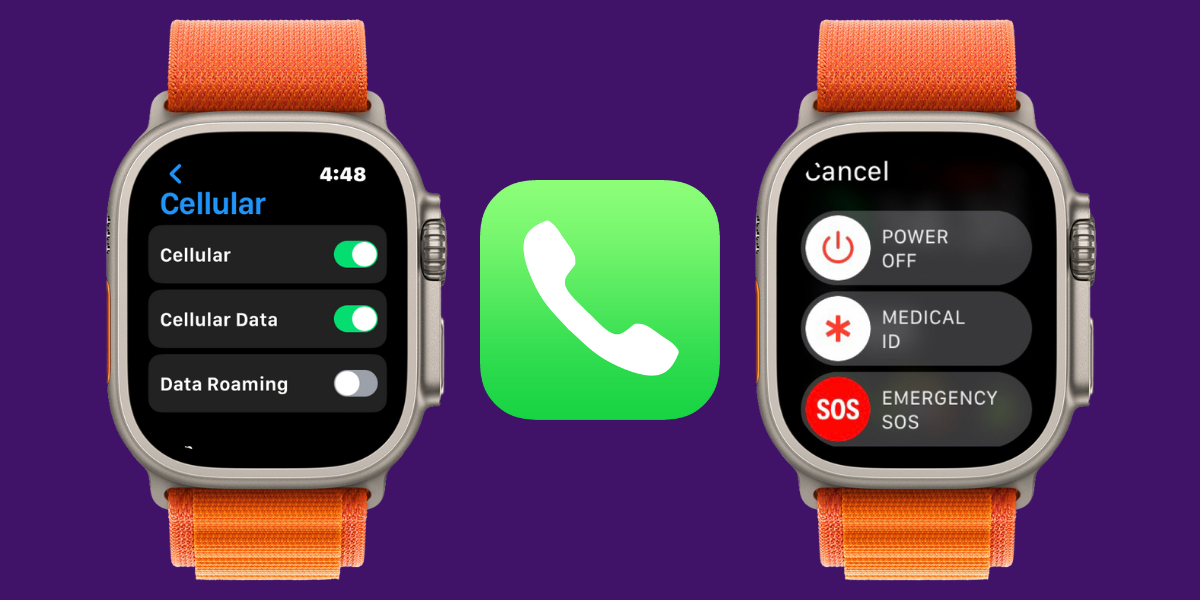
Hey, Insider! Cellular Apple Watches are a popular choice for many smartwatch lovers. But are the extra initial expense, monthly fee, and red circle around the Digital Crown worth the hype? Find out if you should upgrade when Apple announces new watches in just a few weeks!
iPhoneLife Logo
On The Watch ⌚
Everything Apple Watch: Tips, News, Deep Dives, Apps & Gear

Editor's Note

Hey, Insider! It’s Olena here.

Cellular Apple Watches are a popular choice for many smartwatch lovers. But are the extra initial expense, monthly fee, and red circle around the Digital Crown worth the hype? Find out if you should upgrade when Apple announces new watches in just a few weeks!

Happy Reading!

Olena Kagui's picture
Olena Kagui,
On the Watch Editor at iPhone Life
IN THIS EDITION

  • Tips - Delete an alarm directly from your wrist. ⏰
  • Trivia - What new feature is coming to your wrist this fall? ⌚
  • Deep Dive - Would you benefit from a cellular Apple Watch? 📞
  • Health Challenge Update - Have you joined our September Challenge? 🏆
  • Fun and Interesting Tidbits - Blood oxygen monitoring is back! 🩸
🔥🤯 APPLE WATCH TIPS

Quickly delete an alarm from your wrist.

👀 Make viewing apps easier with a layout change.

📚 Discover smart stacks for smarter widget use!

🏆😎 Trivia

It’s almost time to update your watch! Which app is watchOS 26 bringing to your Apple Watch that wasn’t there before?

  • ❗ Notes
  • ❗❗ TV
  • ❗❗❗ Passwords
  • ❗❗❗❗ Preview

🏆 Did you get it right? Scroll down to find out! 🏆

🌊🤿 DEEP DIVE: Do You Need a Cellular Apple Watch?

I’ve had an Apple Watch on my wrist all day, every day for six years, and I’ve gone back and forth between owning a cellular watch and not. Here’s everything I learned from my experience, so you don’t have to wonder if you’re making the right choice!

1. Benefits of Having a Cellular Apple Watch

My favorite thing about having a cellular watch was the freedom it gave me from my iPhone. I could leave it at home when I walked the dogs without worrying about missing calls or not being able to make one in an emergency.

Speaking of emergencies, newer Apple Watches, especially the Ultra models, have all sorts of features to keep you safe, like a loud siren to help rescue teams find you, Backtrack to help you retrace your steps via the Compass app if you are lost, and of course, Emergency SOS which will call 911 if you trigger it, or if you fall (as long as you have Fall Detection activated.

If you have a cellular watch, all of these emergency features will work even if you forget your phone, lose it, have it stolen, or have it run out of batteries. Which gives me great peace of mind! Even though I tend to always bring my phone with me, I do take lots of photos and videos and often end up running out of battery on longer adventures.

2. Downsides of Having a Cellular Apple Watch

The biggest downside of having a cellular Apple Watch is definitely the cost. Depending on your phone provider, the phone plan might only cost you around $10/year. This isn’t too bad, but a cellular Apple Watch itself costs an extra $100 for most models—the Ultra Watch models don’t come with GPS-only options so the price of cellular is already included when you buy the watch.

Aside from the cost, I just never went anywhere without my phone and didn’t end up using the cellular on my watch for over a year. This was the main reason I ended up canceling my watch’s cellular network and upgrading to a new, GPS-only watch model.

3. Should You Get a Cellular Apple Watch?

Just because a cellular Apple Watch wasn’t right for me doesn’t mean it won’t be right for you! If you aren’t obsessed with having your iPhone in your hand and taking photos and videos of everything around you all the time, a cellular watch might be the best solution for staying connected without carrying your phone around.

If you go on long runs or hikes, an Apple Watch Ultra (which always has the cellular option) is specifically built to have a long battery life and to help you navigate tough situations and even get you out of trouble.

Basically, if you are on the fence about it, you might as well try a cellular watch. If you want a cheaper way to add cellular service to your watch, you can always buy a used or refurbished model online. While it takes more vetting to safely purchase a functional device on a marketplace, my husband and I have purchased and sold many of our Apple devices over Facebook Marketplace and eBay and have had good experiences. You can also check out the refurbished section on Apple’s website for something more legit.

Do you wear your Apple Watch at night? Why do you do it? Email OntheWatch@iphonelife.com and let me know!


👟💪 iPhone Life Health 👟Challenge Update

Our August Challenge is coming to an end, but the The September Challenge—and you can join today! The monthly iPhone Life Challenge is a great way to come together as a community and motivate each other to reach our health goals by staying active. We’ll be doing a weekly accountability post for premium subscribers in our Insider Facebook group to share struggles and tips and support each other on our journeys.

To join the challenge, download the free Challenges app on your iPhone and enter the code VUUR when prompted. Need help? This article explains the steps and tells you more about the app.

Are you enjoying the challenge? Do you have any suggestions for how we can make it even better? Email OntheWatch@iphonelife.com and let me know.

🥇 CHECK YOUR TRIVIA ANSWER 🥇

The correct answer is: ❗Notes

The Notes app is finally coming to your Apple Watch when the watchOS 26 update comes out publicly this fall! Better yet, it will have Siri integration, so you won’t have to do all your notetaking on that tiny screen.

🕺📰 OTHER FUN AND USEFUL TIDBITS

Missed the most recent editions? Now you can go back and read them!

FIRST TIME READING?

Sign up here to get the On the Watch newsletter in your inbox every other week.

Follow iPhone Life

iPhoneLife Logo
Copyright © 2025 Mango Life Media LLC. All Rights Reserved.
Mac, iPad, iPhone, Apple TV, Apple Watch, AirPods, macOS, iPadOS, iOS, watchOS, and Apple are all trademarks of Apple, Inc.
You have opted in to receive this email from iPhone Life magazine: Insider Daily Email
To stop receiving these emails, you may:
Mango Life Media LLC | 2280 W Tyler Ave Suite 205 | Fairfield, IA 52556