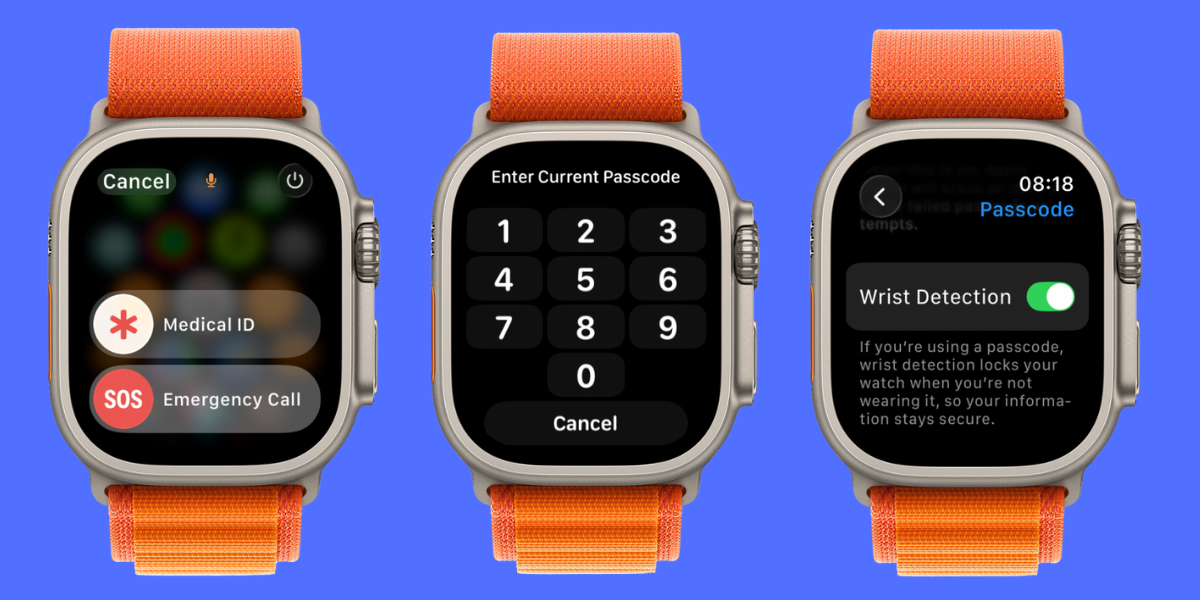
Hey, Insider! There’s not much your Apple Watch can’t do for you these days. It can be your personal assistant, your Workout Buddy, and in some ways, even your bodyguard. This week, I’ll teach you how to tweak your Apple Watch settings so that you can make the most of every safety, security, and privacy feature.
iPhoneLife Logo
On The Watch ⌚
Everything Apple Watch: Tips, News, Deep Dives, Apps & Gear

Editor's Note

Hey, Insider! It’s Olena here.

There’s not much your Apple Watch can’t do for you these days. It can be your personal assistant, your Workout Buddy, and in some ways, even your bodyguard. This week, I’ll teach you how to tweak your Apple Watch settings so that you can make the most of every safety, security, and privacy feature.

Happy Reading!

Olena Kagui's picture
Olena Kagui,
On the Watch Editor at iPhone Life
IN THIS EDITION

  • Tips - Transfer calls from watch to phone. ⌚
  • Trivia - watchOS 26 added a much-requested feature! 🕰️
  • Deep Dive - Is your Apple Watch keeping you safe? 🔐
  • Health Challenge Update - You can still join our October Challenge! 🏆
  • Fun and Interesting Tidbits - Tim Cook’s special Labubu doll. 🪆
🔥🤯 APPLE WATCH TIPS

⌨️ Type on your watch using your iPhone.

🔊 Quickest way to use Siri on your watch.

☎️ Transfer a call from watch to phone.

🏆😎 Trivia

Apple added a much-requested feature to one of the new watch face styles released with watchOS 26. What is it?

  • 😍 A visible second hand
  • 😍😍 A step counter display
  • 😍😍😍 A video player

🏆 Did you get it right? Scroll down to find out! 🏆

🌊🤿 DEEP DIVE: How to secure your Apple Watch?

Safety, security, and privacy are important topics in today’s world, and your Apple Watch has a lot of built-in settings that can help you protect yourself both physically and digitally. Some features are on by default while others are hidden away—I will teach you how to make the most of all of them!

1. Digital Safety on Apple Watch

The most basic safety setting is the passcode on your watch. I’ve had many people ask me how to remove the passcode because it is annoying when your watch locks itself while you are using it. I do not recommend ever turning off your passcode; in fact, I recommend using a six-digit passcode for extra security. In lieu of getting rid of the passcode altogether, you can take steps to prevent your watch from locking while you’re using it. To avoid your watch locking while you use it, make sure you are wearing it snugly and learn how to unlock your watch with your phone.

2. Physical Safety on Apple Watch

Your watch can also protect your physical body: The device is able to detect falls and car crashes, and you can even set it to call for help if you are unable to. The first step here is to make sure you have your medical and emergency-contact information up to date. Next, make sure you have Fall Detection and Crash Detection activated and double-check the fine print to understand exactly how these features work.

3. Apple Watch Privacy

There is a lot of sensitive information stored on an Apple Watch. If you’re like me, your watch has access to your credit cards, private conversations, and even your house key. This is why it’s important to make sure no one can access your watch without you knowing. In addition to using a passcode, you should also make sure you have Find My activated. That way, if your watch is lost or stolen, you can find it with ease, and it will stay locked so a thief can’t access your private data. It is also important to keep your watch up to date, because software updates can fix vulnerabilities and introduce new security features to protect you.

4. The Safest Apple Watch

While most Apple Watches have the security options described above, not all models are created equal. The Apple Watch model with the most safety features is the Apple Watch Ultra 3. Not only does it have extra-long battery life, it also has a Siren to call for help and Emergency SOS via satellite (which lets you call for help even if you are somewhere without internet or cellular signal).

5. Better Safe than Sorry & Practice Makes Perfect

Having all these safety features on your watch is one thing, but it is important to understand exactly how they work and how to access them in a pinch. Practice with these features to make it easier to use them when you are stressed or panicked. I recommend that you go over your settings periodically to make sure that everything is set up the way you need it to be. The more familiar you are, the more confident you will feel about your safety, security, and privacy.

Which is your favorite Apple Watch security features? Email OntheWatch@iphonelife.com and let me know!


👟💪 iPhone Life Health 👟 Challenge Update

Our October Challenge Our October Challenge is underway, but you can still join until October 24th! The free Challenges app will give you points for all the exercises you’ve recorded via the Workouts app this month. The monthly iPhone Life Challenge is a great way to come together as a community and motivate each other to reach our health goals by staying active. We’ll be doing a weekly accountability post for premium subscribers in our Insider Facebook group in our Insider Facebook group to share struggles, trade tips, and support each other on our journeys.

To join the challenge, download the free Challenges app on your iPhone and enter the code J2YN when prompted. Need help? This article explains the steps and tells you more about the app.

Are you enjoying the challenge? Do you have any suggestions for how we can make it even better? Email OntheWatch@iphonelife.com and let me know.

🥇 CHECK YOUR TRIVIA ANSWER 🥇

The correct answer is: 😍 A visible second hand

The new Exactograph watch face lets you see the seconds tick by, allowing for more precise time measurements. Our readers have been asking for this one for a while!

🕺📰 OTHER FUN AND USEFUL TIDBITS

Missed the most recent editions? Now you can go back and read them!

FIRST TIME READING?

Sign up here to get the On the Watch newsletter in your inbox every other week.

Follow iPhone Life

iPhoneLife Logo
Copyright © 2025 Mango Life Media LLC. All Rights Reserved.
Mac, iPad, iPhone, Apple TV, Apple Watch, AirPods, macOS, iPadOS, iOS, watchOS, and Apple are all trademarks of Apple, Inc.
You have opted in to receive this email from iPhone Life magazine: Insider Daily Email
To stop receiving these emails, you may:
Mango Life Media LLC | 2280 W Tyler Ave Suite 205 | Fairfield, IA 52556